


Flight Tracker - Flight Radar
2.8205.00 Reviews
App Specs
- Version
- 1.1.2
- Updated On
- License
- Free
- Downloads
- 5,000,000+
- Developer
- Airport Flights Status™
- Categories
- Maps & Navigation
- Platform
- Android, iOS
Screenshots

 Analysis by AppCompare
When I choose a flight-tracking app, I care less about a busy map than about whether I can quickly answer two questions: where is the aircraft, and what should I do next? Flight Tracker - Flight Radar is aimed at that practical moment, as well as at people who simply enjoy watching aircraft move across a map. It is a free Maps & Navigation app from Airport Flights Status™, with optional in-app purchases. My view is that it can be useful as a second source of travel information, but its modest user rating is a reason to check important details elsewhere rather than trust it blindly.
Choose it for a quick check, not as your only travel plan
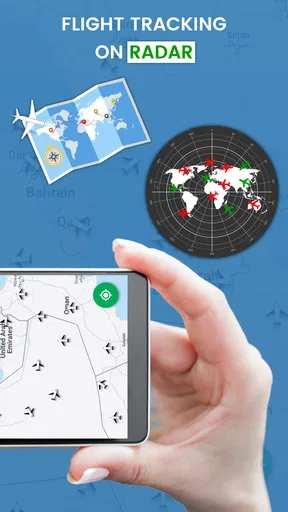
The best reason to try this app is convenience: you can keep an eye on a flight without relying solely on airport screens or waiting for someone to message you. That is particularly handy when you are picking up a traveler, following a family member’s journey, or trying to understand whether an arriving plane is still moving toward its destination. The app’s central idea is flight tracking through a radar-style view, so it is more relevant to aircraft movement than to building a complete itinerary.
Before depending on any tracker, I would first check whether it can locate the specific flight I care about and whether its displayed status agrees with the airline or airport. Flight information can change quickly, and a map is not the same thing as an official notice about boarding, a gate, or a cancellation. I treat the radar view as useful context and confirm decisions that affect my trip through the airline or airport’s own channels.
First Impressions
Downloading and setting up Flight Tracker - Flight Radar was a breeze. The app is available on both Android and iOS, and it’s free, although there are some premium features if you’re willing to shell out a few bucks. As soon as I opened it, I was greeted with a sleek, user-friendly interface. It’s intuitive and doesn’t bombard you with unnecessary options right from the start, which is always a win in my book.
Features to Love
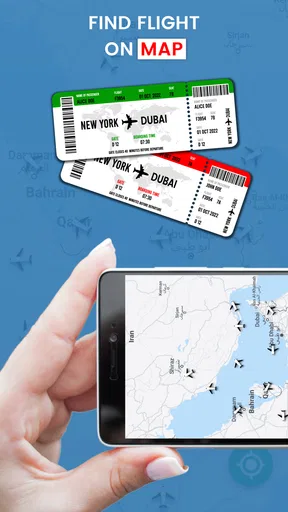
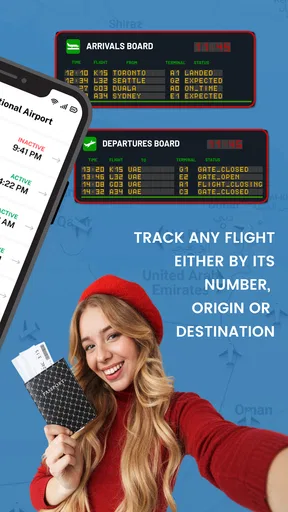
So, what can this app actually do for you? First off, it offers real-time flight tracking, which is incredibly accurate. You can search for flights by route, flight number, or airline, and the app provides comprehensive details, including departure and arrival times, gate information, and even weather conditions at your destination. It’s like having a personal flight assistant in your pocket.
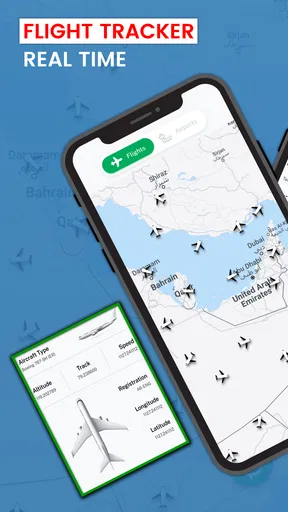
One of the standout features is the live flight radar map. This allows you to see flights in motion all over the globe. It’s fascinating to watch, especially if you’re a bit of an aviation geek like me. You can zoom in and out, click on airplanes to get detailed info, and even see what’s happening in the skies above your current location.
A practical routine for following a flight
For a pickup, I would search for the traveler’s flight before leaving home, then check again closer to the expected arrival. That avoids making a long drive based on an old estimate. If the aircraft is shown approaching, I can start heading toward the airport; if its progress looks different from the airline’s latest notice, I would use the airline’s information to make the actual timing decision. This split workflow is more dependable than treating any single map as a promise.
Worth Reading Before You Choose

Flipboard Shows What News Apps Must Do Beyond the Feed

Switching to Android Auto Means Rethinking Your Driving Routine

Google Calendar Makes a Crowded Week Easier to Manage

Ludo King Makes the Most of the Minutes Between Plans

Baby Panda World Brings Quick Play to Modern Phones, but Its Game Library Feels Busy

ESPN’s Live Game View Makes Following Close Games Easier
For a connection, the app is better used as a quick awareness tool than as a connection planner. A moving aircraft can tell you that a flight is underway, but it cannot by itself tell you whether a tight transfer is safe, whether you must change terminals, or whether a gate has changed in a way that affects your route through the airport. I would keep the airline’s itinerary open for those details and use the tracker to add a visual sense of progress.
Notifications and Alerts
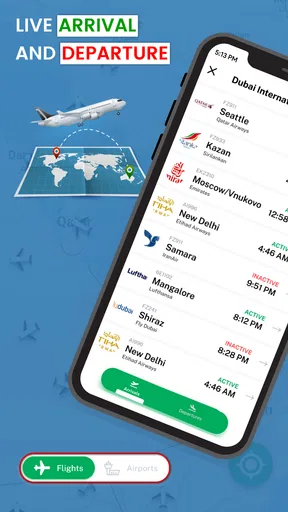
Now, let’s talk about notifications. The app sends timely alerts about your flight’s status. Whether it’s a delay, gate change, or cancellation, you’ll be the first to know. I tested this feature by tracking a friend’s flight, and the notifications came through like clockwork. This can be a lifesaver, especially when you’re juggling multiple flights or dealing with tight connections.
- Real-time flight status updates
- Gate and terminal information
- Weather conditions
- Tracking multiple flights at once
Alerts are most useful when they reduce the need to keep reopening an app, but I would still glance at the flight details after receiving one. A notification is a prompt to check, not a substitute for reading the current status carefully. If you are tracking someone else’s trip, agree on which flight to follow and share the flight number; that is less ambiguous than trying to identify an aircraft from a route alone, especially when schedules or routes are similar.
Where a radar view helps—and where it doesn’t
A map earns its place when the question is about movement: has the aircraft departed, is it en route, or is it nearing the destination? The visual view can make those answers easier to grasp than a line of status text, and it can be engaging for anyone curious about the traffic overhead. One useful habit is to zoom out first to orient yourself, then zoom in only when you need to inspect a particular area. That keeps the map from becoming a confusing mass of icons.
On the other hand, a radar-style display is not necessarily the fastest way to answer every airport question. If you only need to confirm a boarding time or gate, an airline’s flight page or the airport’s departure board may be more direct. If you are planning a multi-leg journey, a dedicated itinerary tool may keep all the booking details together more clearly. I see this app as a focused companion, not a replacement for those sources.
Premium Perks
If you decide to go for the premium version, you’ll unlock some neat extras. These include ad-free browsing, additional filters for flights, and access to historical flight data. While the free version is more than sufficient for most casual travelers, frequent flyers might find the premium features worth the investment.
The app is free to start, while its in-app purchases range from $9.99 to $39.99 per item. I would not pay simply because I fly occasionally: first use the free experience on the kinds of flights you actually follow, then decide whether the extra filters or historical information solve a recurring problem for you. Ad-free browsing may matter to someone who checks often, but a one-off airport pickup is a weaker reason to spend. The practical test is whether a paid option changes your workflow enough to justify its cost, not whether the feature list sounds impressive.
Who is likely to get the most from it?
I can see this being most useful for people who regularly monitor another person’s arrival, aviation fans who enjoy following aircraft visually, and travelers who want a quick status check alongside their normal airline tools. It is also a reasonable option for someone who wants to try a flight radar without paying upfront. The app is marked for everyone, and its current version is 1.4.3; it requires Android 7.0 or later on Android devices.
I would be more cautious if you have a short connection, need dependable gate instructions, or are making an expensive last-minute travel decision. In those cases, use the airline’s direct updates as your primary reference and treat a third-party tracker as a supplement. Likewise, if you only want a simple itinerary organizer, a map-centered flight app may not be the most natural fit. Choose based on the question you need answered, rather than assuming one travel app should handle every part of a trip.
User Experience
Let’s face it, no app is perfect, and it has its quirks too. Occasionally, there’s a slight lag when loading the flight map, especially if you’re zooming in on a densely populated area. However, it’s nothing that detracts significantly from the overall experience.
The app also integrates seamlessly with other travel apps, which makes planning your itinerary a whole lot easier. You can share flight details with friends or family directly from the app, keeping everyone in the loop without any hassle.
My main reservation is trust. The app has an average rating of 2.3 from around 4,000 ratings, with 158 written reviews, despite having over a million installs. That does not tell me exactly why individual people were dissatisfied, but it does make me unwilling to rely on it as the sole authority for a time-sensitive decision. I would test a flight I can verify, compare the result with an airline source, and see whether its updates suit my needs before building it into a travel routine.
What switching would actually involve
Trying this tracker does not require changing how you book or manage a trip. The real cost of switching is attention: you may need to learn where the flight search and map details are, decide which alerts are worth keeping, and avoid checking several sources so often that the information becomes more stressful than helpful. I would begin with one flight rather than tracking an entire itinerary. If the app makes that single task clearer, keep it; if it adds uncertainty or extra steps, return to the airline’s own tools.
Compared with the usual alternatives, the distinction is about emphasis. Airline apps are generally the place I would look first for information tied directly to my booking, while airport boards are convenient when I am already in the terminal. General itinerary apps are better suited to organizing reservations. A flight radar app offers a more visual way to follow aircraft movement. Those tools can complement one another, but none should be assumed to provide every kind of travel information equally well.
Final Thoughts
After spending some quality time with it, I can confidently say it’s a must-have for anyone who flies regularly. It simplifies the travel experience, providing peace of mind and ensuring you’re always in the know about your flights. Whether you’re a globetrotter or just taking the occasional trip, this app is a valuable tool to have at your fingertips.
My recommendation is narrower than “must-have”: give it a try if a radar-style view and flight monitoring are what you want, but keep official airline information close for decisions about boarding, connections, and disruptions. Its free entry point makes a trial straightforward, while the mixed user rating gives me a good reason to verify important details rather than assume every update is decisive. If your needs are simple and the app works well for the flights you follow, it can earn a place beside your other travel tools; if you need booking management or authoritative airport instructions, choose a more direct source for those jobs.
So, next time you’re gearing up for a flight, consider giving this app a try. It might just become your new favorite travel buddy, ensuring you never miss a beat—or a flight!
Pros
- Real-time flight updates for accurate tracking.
- User-friendly interface
- easy to navigate.
- Comprehensive airport and airline information.
- Customizable notifications for flight changes.
- Offline mode for viewing saved flights.
Cons
- Requires premium for advanced features.
- Ad-supported
- can interrupt user experience.
- Limited offline functionality without updates.
- Occasional delays in flight status updates.
- Battery-intensive when used continuously.
FAQs for Flight Tracker - Flight Radar
What features does Flight Tracker - Flight Radar offer?
Flight Tracker - Flight Radar provides real-time flight tracking, allowing users to track flights globally. It offers detailed information about flight schedules, delays, and cancellations. The app includes an interactive map, weather updates, and alerts for changes in flight status. It's an essential tool for travelers and aviation enthusiasts alike.
Is Flight Tracker - Flight Radar free to use?
Flight Tracker - Flight Radar offers a basic version that is free to download and use. However, it also provides a premium subscription option with additional features, such as ad-free usage, advanced notifications, and more detailed flight information. Users can choose the version that best suits their needs.
How accurate is the flight information provided by the app?
The app uses data from multiple sources, including airlines and airports, to offer accurate and up-to-date flight information. While it strives for high accuracy, users should be aware that unexpected changes in flight schedules may not always be reflected in real-time. It’s recommended to also check directly with airlines for confirmation.
Can I track international flights with this app?
Yes, Flight Tracker - Flight Radar supports tracking international flights. The app covers a wide range of global flights, providing users with the ability to monitor both domestic and international air traffic. Whether you're traveling abroad or following a loved one's journey, the app offers comprehensive tracking capabilities.
Does the app require an internet connection to function?
Flight Tracker - Flight Radar requires an internet connection to access real-time data about flights. The app utilizes online services to update flight statuses and provide live tracking information. Users should ensure they have a stable internet connection for the best experience while using the app.


